
Blog Categories
Archives
Latest Posts


Typing with work gloves causes errors and downtime. Discover how tactile feedback, key travel, and ergonomic layout optimize industrial keyboards.

If, like me, you are passionate about hiking and love spending your Sundays walking in the mountains along trails, visiting mountain huts, and tackling climbs, descents, and uneven terrain, you already know that rule number one is having the right clothing, but above all, comfortable shoes.
I wear size 42 (US 8.5 / UK 8), and I need well-cushioned shoes to prevent back pain. Imagine how I would feel at the end of the day if I were forced to go on a hike wearing a pair of stiff, size 40 shoes. Just thinking about it makes me limp; I can already feel the blisters, the back pain, and my feet swollen and aching.
Anyone who works wearing protective work gloves—whether made of nitrile, silicone, cut-resistant knit, or insulated for low temperatures—and has to operate a keyboard necessarily experiences a drastic loss of tactile sensitivity. If forced to use a standard consumer keyboard, they would experience the exact same frustration as wearing shoes that are two sizes too small: you hit three keys at once, press with no clear confirmation that the input went through, delete, waste time, and ultimately get frustrated
With bare hands, it is a trivial task.
With a pair of work gloves, it becomes significantly more difficult.
When tactile feedback is missing, typing errors increase, data entry slows down, and operator frustration grows.
How do you guarantee maximum typing precision without compromising on safety? The answer lies in combining hardware ergonomics and tactile feedback.
Wearing thick or rigid gloves alters two essential typing parameters:
This is why ergonomics and tactile feedback become critical. In an industrial environment, a keyboard must not simply "type"; it must allow the operator to work quickly, accurately, and without being forced to constantly check the screen to see if each keystroke registered.
This is especially true when using cut-resistant gloves, heavy mechanical gloves, thermal gloves, or other PPE that inevitably reduces fingertip sensitivity.
Work gloves—whether made of heavy rubber, latex, grain leather, thermal cotton, or cut-resistant materials—create a physical barrier between the fingertips and the control surface. This can cause:
Multiplied across hundreds of commands per day and across multiple operators, an apparently minor issue quickly turns into a major productivity bottleneck.
Tactile feedback is the physical response that a key returns to the finger at the exact moment the electrical circuit closes and the command is sent to the computer.
On standard office keyboards, this response is minimal and calibrated strictly for bare hands. In industrial environments, however, technologies must overcome the thickness of the glove and communicate immediate actuation to the operator: a keyboard with distinct feedback gives immediate confirmation without requiring constant visual checks on the monitor.
With gloves, this becomes even more essential. When finger sensitivity drops, the keyboard itself must provide a crisp, unambiguous response.
This does not necessarily mean stiff keys. On the contrary, a high-quality industrial keyboard strikes the right balance between:
Actuation Force+Key Travel+Keycap Shape+Key Spacing
Every work environment requires an optimal keyboard design (see our complete guide to choosing an industrial keyboard HERE).
Additionally, not all industrial keyboards respond identically to glove typing. The choice of surface material plays a vital role:
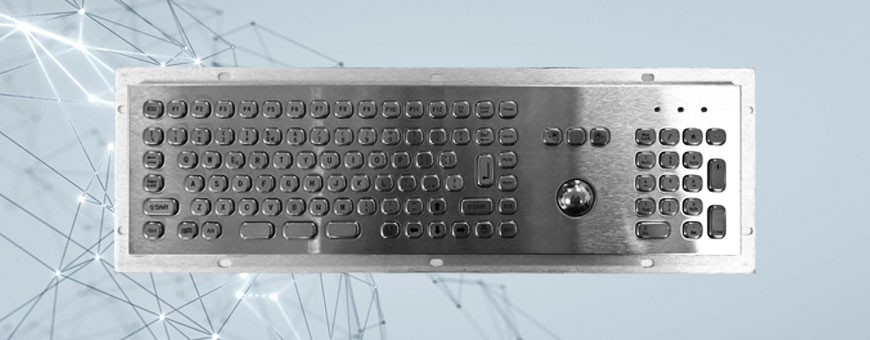
Stainless Steel / Vandal-Resistant Keyboards: Built for extreme or outdoor environments. The key pitch and spring resistance are specifically calibrated to allow reliable typing even with heavy work gloves, leather riggers, or construction gloves..png)
At Tastiereindustriali.com, we ensure that every keyboard truly matches actual shop-floor operations. When recommending a keyboard configuration, we evaluate several key factors:
Completing the ergonomic analysis of industrial workstations requires assessing integrated pointing devices:
To quickly identify the keyboard best suited to your production line, answer these five operational questions:
An operator who works comfortably makes fewer errors, enters data faster, and avoids damaging hardware by applying excessive force.
At TastiereIndustriali.com, we assess the PPE and operational environment in your facilities to configure industrial keyboards with the right materials, key travel, tactile feedback, and integrated pointing devices.
Contact us for technical advice and to test our solutions:
Click the button below to leave your details and be contacted.
Click here to leave your details

 en
en 


Comments (0)
No comment